Salesforce Task Management App, that manages every task right inside Salesforce.
If you manage tasks in Salesforce, Mission Control Salesforce Task Management software streamlines planning, assignment, tracking, collaboration, and reporting. Effective task management is key to successful task delivery.
Mission Control’s Whiteboard feature provides teams with a highly visual and intuitive way to manage tasks and workflows directly within Salesforce. Using a Kanban-style interface, users can easily move Actions between stages such as Planned, In Progress, Review, and Complete using simple drag-and-drop functionality. This visual approach allows project managers and delivery teams to instantly identify bottlenecks, monitor task progression, and maintain complete oversight of project activity.
The Whiteboard is particularly valuable for Agile teams, service delivery teams, and fast-paced project environments where flexibility and visibility are essential. Because the feature is built natively within Salesforce, all updates happen in real time, ensuring every stakeholder has access to accurate project information without needing to switch between systems. The Whiteboard helps teams improve collaboration, accelerate task completion, and maintain momentum across projects of all sizes.
The Action Pad acts as a command centre for Salesforce task management within Mission Control. It provides users with a streamlined interface where they can quickly view, edit, update, and manage Actions without navigating through multiple screens. Teams can efficiently update statuses, priorities, due dates, assignments, and progress information from a single location, significantly improving productivity and reducing administrative overhead.
For project managers overseeing large volumes of work, the Action Pad provides exceptional efficiency gains through bulk editing and configurable filtering options. Users can personalise their workspace to focus on the most relevant tasks, helping them prioritise effectively and respond quickly to changing project demands. By simplifying day-to-day task management activities, the Action Pad enables teams to spend less time managing work and more time delivering successful outcomes.
The Grid feature provides users with a familiar spreadsheet-style interface for managing large volumes of tasks quickly and efficiently. Teams can view and update multiple Actions simultaneously, making it ideal for project managers, PMOs, and operations teams that require fast access to detailed project information. With inline editing capabilities, users can make updates directly within the Grid without needing to open individual task records.
The flexibility of the Grid allows organisations to customise views based on their specific delivery processes and reporting requirements. Advanced filtering, grouping, and sorting functionality make it easy to identify overdue tasks, monitor resource workloads, and review project progress at scale. Because all updates occur natively within Salesforce, teams benefit from complete data accuracy, real-time reporting, and a fully connected project management environment.
The Action Splitter feature enables project managers to break larger tasks into smaller, more manageable pieces of work. This functionality is particularly valuable when multiple team members need to contribute to a single deliverable or when work needs to be spread across different phases of a project. By splitting Actions into smaller allocations, teams gain greater control over scheduling, resource assignment, and workload management.
Action Splitter also improves project forecasting and delivery accuracy by ensuring work is allocated realistically across available resources and timelines. Instead of relying on broad estimates or oversized tasks, project managers can create more granular work plans that provide clearer visibility into effort, utilisation, and progress. This results in improved team productivity, more accurate scheduling, and greater confidence in project delivery timelines.
The Sprint Board is designed to help Agile delivery teams manage sprint planning, backlog prioritisation, and task execution directly within Salesforce. Teams can organise user stories, Actions, and backlog items into sprints using an intuitive drag-and-drop interface that simplifies sprint preparation and execution. This provides Agile teams with the flexibility and visibility required to deliver work efficiently in fast-moving project environments.
Project managers and Scrum Masters benefit from real-time insight into sprint progress, workload distribution, and delivery velocity. By centralising Agile task management within Salesforce, organisations can maintain complete alignment between customer data, project delivery, and operational reporting. The Sprint Board empowers teams to improve collaboration, increase delivery predictability, and continuously optimise their Agile processes.
Loaded with all the Salesforce Task Management Tools you need!
Mission Control delivers a comprehensive suite of Salesforce Task Management Software capabilities designed to help organisations manage work more effectively from start to finish. Whether your teams follow Agile, Waterfall, or hybrid project methodologies, Mission Control provides the flexibility, visibility, and automation required to streamline task management and improve project outcomes.
From visual task boards and sprint management to advanced workload planning and spreadsheet-style task editing, Mission Control enables teams to manage every aspect of project delivery without leaving Salesforce. Because the platform is built natively on Salesforce, all project data, customer information, resources, financials, and reporting remain connected within a single source of truth.
Teams benefit from improved collaboration, greater accountability, and real-time visibility into project progress, helping reduce delays, improve communication, and increase operational efficiency. With configurable workflows, customisable views, and enterprise-grade reporting, Mission Control empowers organisations to scale their project delivery processes while maintaining complete control and transparency.
Effortless Salesforce Task Management App that does it all & more!
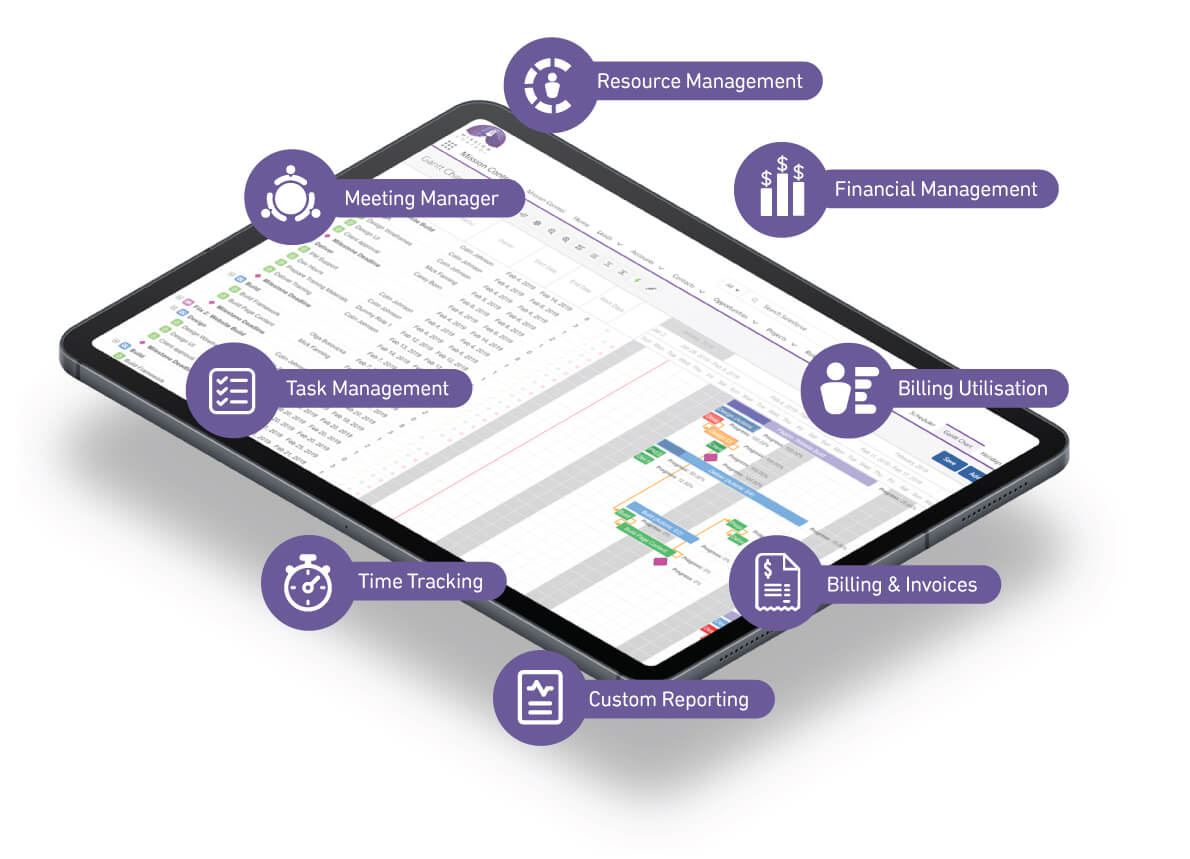
Mission Control is designed to simplify task management while providing the advanced capabilities modern project teams require. Its intuitive user experience ensures teams can adopt the platform quickly, while its deep Salesforce integration delivers unmatched flexibility, security, and scalability. By combining task management, resource planning, time tracking, financial management, collaboration, and reporting into a single solution, Mission Control eliminates the need for disconnected tools and manual processes.
Unlike standalone task management applications that require integrations and duplicated data, Mission Control operates entirely within the Salesforce ecosystem. This allows businesses to align project delivery with sales, customer management, support, and financial operations, creating a truly connected business platform. Teams gain immediate access to real-time insights that support faster decision-making, stronger customer communication, and more predictable project delivery.
Whether you’re managing internal initiatives, customer implementations, professional services engagements, or complex enterprise programs, Mission Control provides the Salesforce Task Management Software capabilities your organisation needs to deliver projects successfully, improve team productivity, and drive long-term business growth.
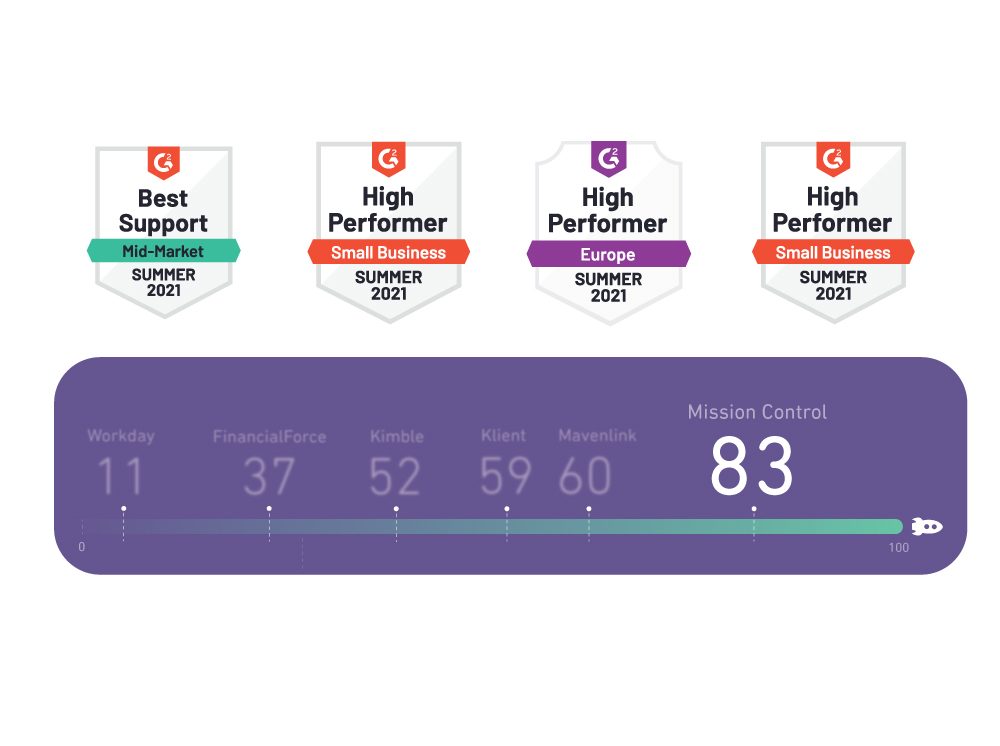
G2.com Professional Services Automation Report – Summer 2021
Too many platforms? Switch to our Salesforce Task Management Software.
Many customers, prior to Mission Control, struggle with disconnected task management, limited visibility, and inconsistent reporting across multiple tools. Mission Control’s Salesforce Task Management Software centralises task planning, assignment, tracking, and collaboration, ensuring efficiency, accountability, and complete oversight—all in one place.
Project management technology has come a long way. We have better planning tools, better reporting, better resource management and more project data available than ever before
Instead of looking at confirmed project schedules in one place and potential resource requirements somewhere else, teams can use the Gantt Chart to build a
Interested to know how Mission Control can help your business with you Task Management needs? Organise a no obligation call with one of our team who can tell you everything you need to know.
Test drive everything Mission Control has to offer at your own leisure. See how the features work, play around & begin see how the Task Management tools can help your business.
Save time and let us show you how everything works! We can show you exactly how all the features and tools can be tailored to meet the demands of your tasks, and business.